Codex Themes for Night Coding
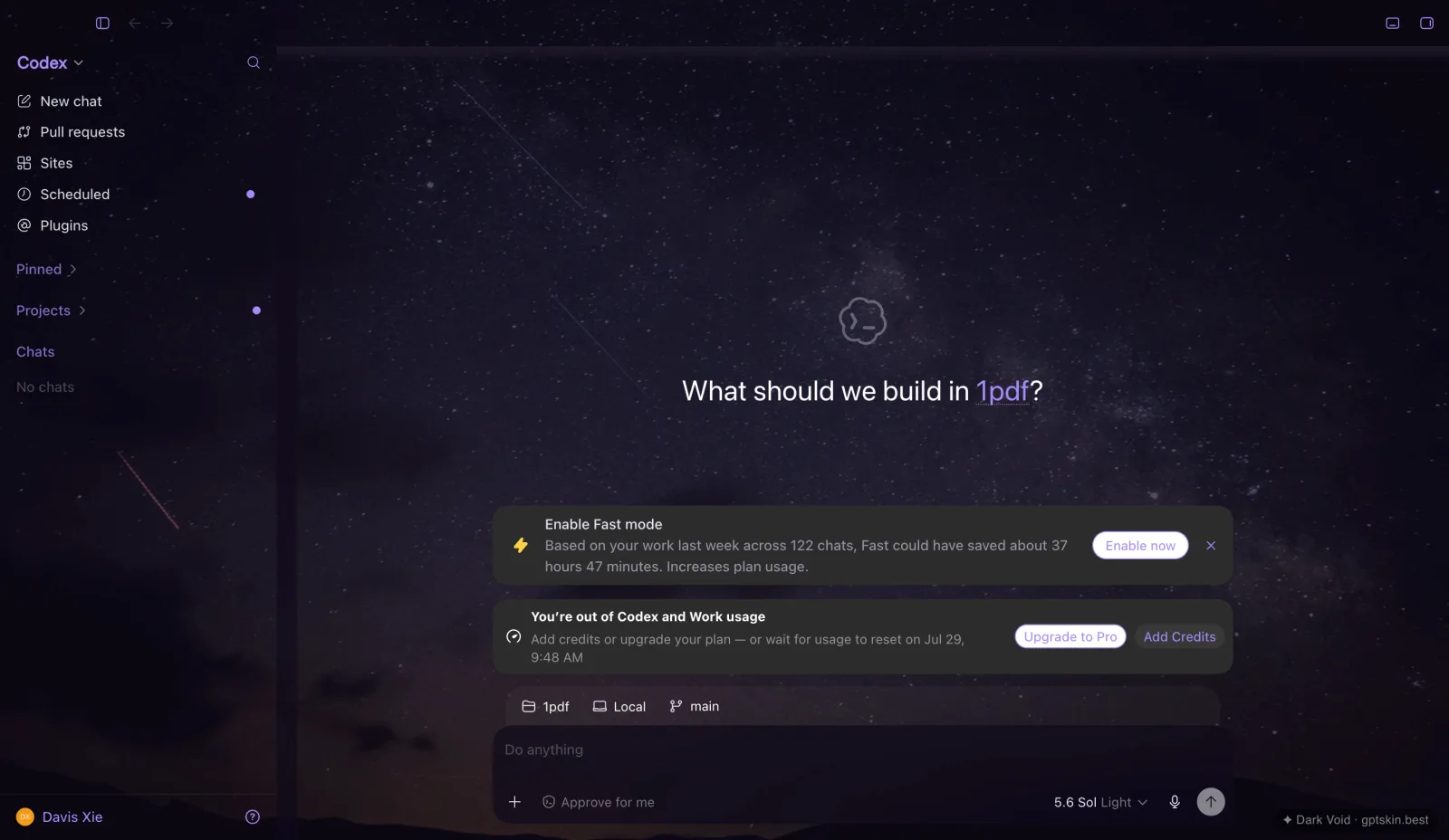
For night coding, start with a dark source image that has quiet edges, reserve the brightest color for accents, and test text contrast before committing. GptSkin's free Dark Void, City Lights, and Aurora Borealis presets are useful starting points; a custom build is optional.
Who this workflow fits
It fits people who work in dim rooms, want an image-backed workspace, and are willing to check readability. It is not a treatment for eye strain, and it is not ideal if decorative backgrounds make concentration harder. In that case, use Codex's standard appearance or the Minimal Light preset.
Recommended starting points
- Dark Void: the quietest deep-space option with violet accents.
- City Lights: stronger warm highlights; reduce visual competition around text.
- Aurora Borealis: green-violet accents for users who want more color.
Try any preset free and without an account from the Showcases page. For a custom theme, choose a landscape or abstract image with large dark areas and avoid high-frequency texture behind reading surfaces.
A five-minute readability check
- Read body text, code, timestamps, disabled controls, and error states.
- Check selected and unselected tabs.
- Test the theme in both a bright room and the room where you actually work.
- If the image competes with text, choose a calmer source rather than forcing more opacity.
- Keep
Restore the default Codex themeavailable and revert if the interface becomes harder to scan.
GptSkin changes presentation through a loopback-only runtime connection and does not patch the official app. Review the exact limitation of local CDP in the Security documentation.
Cost and next step
The six presets are free. Each new custom image theme costs 20 Credits; reapplying a saved local theme is free. See current package facts on Pricing, then follow the Installation guide.
This is a use-case guide, not a customer case study or a medical claim. It follows the GptSkin Editorial Policy. Last verified: July 28, 2026.